Prototypes Tab
From the Prototypes Tab you control every attribute of your notes. As you can see, there are three notes that have no prototype. These are your main prototypes—normal_note, util_note, and dash_note.
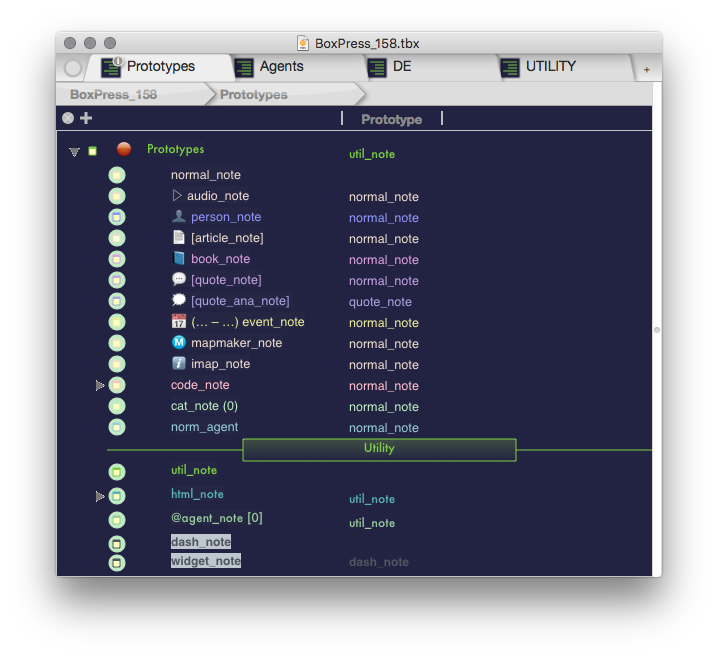
The BoxPress prototypes.
The other prototypes inherit from the three main prototypes. Most of your other prototypes inherit from normal_note. All of your content notes will be instances of either normal_note or a prototype that inherits from normal_note.
Your prototypes are arranged in order of content relevance because the order you have here determines the order in the prototype pop-up menu:
- Main Prototypes (2)
- Research Prototypes (6)
- Mapmaking Prototypes (3)
- … and all the rest.
One good use of the Prototypes Tab is to set-up which of the display expression elements are active on which prototypes: