Prototype: event_note
The event_note prototype includes its SmartDate in its display expression. Date assignment works the same way here as it does for the other SmartDate-using prototypes—i.e., person_note, book_note, and film_note. To review:
Assigning dates
- For a closed date span, assign
$StartDateand$EndDateand keep$DueDate empty. - For an open date span, assign
$StartDateor$EndDateand keep$DueDate empty. - For a single date, assign
$DueDate. Even if$StartDateand$EndDatehave values, only the single value of$DueDatewill be exported. This is great for carrying a (e.g., biographical) date span in the background for extraction in other places. - For a primary date followed by a secondary date in brackets, assign
$DueDateand$EndDate.
Entering dates BCE
Just enter a four-digit negative number that is one more than the desired date. For example, to enter 325 BCE type -0324.
What you see
- An event-note with a single
$DueDatedisplays as (D) - An event-note with both
$StartDateand$EndDatedisplays as (S – E) - An event-note with a
$StartDatebut no$EndDatedisplays as (S – …) - An event-note with an
$EndDatebut no$StartDatedisplays as (… – E) - An event-note with both
$StartDateand$EndDateand also a$DueDatedisplays as (D).
Using the single-date override
Assigning all three attributes can be very useful. For example, let’s say you convert a person-note into an event-note and give it a single year for the
$DueDate. The note will display with the $DueDate but the biographical $StartDate and $EndDate are still available and can be used for other things—e.g., as a parenthetical date-range that you can append to the author's name.Key Attributes
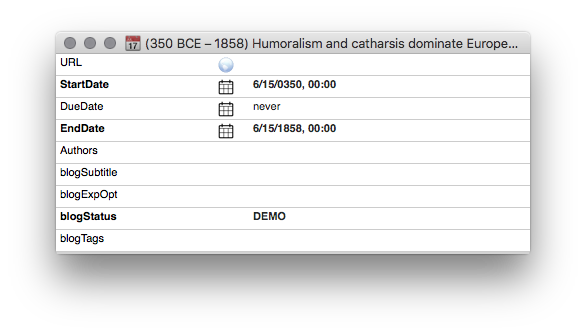
Event-note key attributes for the first note (below).
Map View
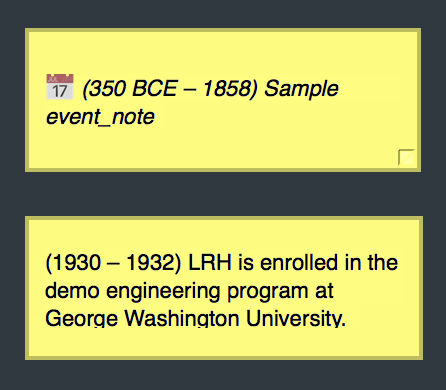
Event-notes inside Map View. $DEBips has been turned off for the second note.
Outline View
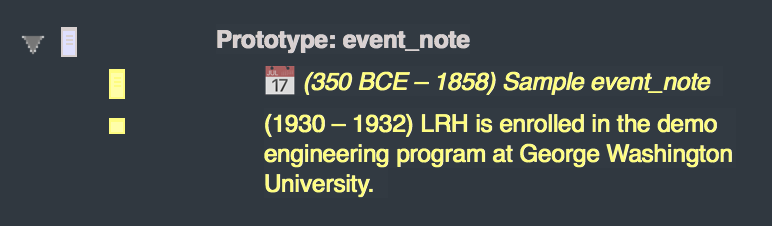
Event-notes inside Outline View. $DEBips has been turned off for the second note.
SmartButton
Note that the second note, which is empty, has its SmartButton (smartly) dimmed:
350 BCE – 1858 |
Sample event_note |
1930 – 1932 |
LRH is enrolled in the demo engineering program at George Washington University. |