Prototype: book_note
An instance of book_note should have the title of a book or other publication as the $Name of the note. The rest of the displayed name is constructed from the note’s $DueDate and $Authors.
Set $ReferenceURL to your preferred online version of the publication. This is separate from the $URL of the book-note, which may very well point elsewhere. As usual, setting $ReferenceURL adds the link emoji ( ) to the end of the displayed name.
Key Attributes

Book-note key attributes for the second note (below). Note the FULLTEXT option. This will affect the Proticon in the note’s display expression as well its export as a SmartButton.
Map View
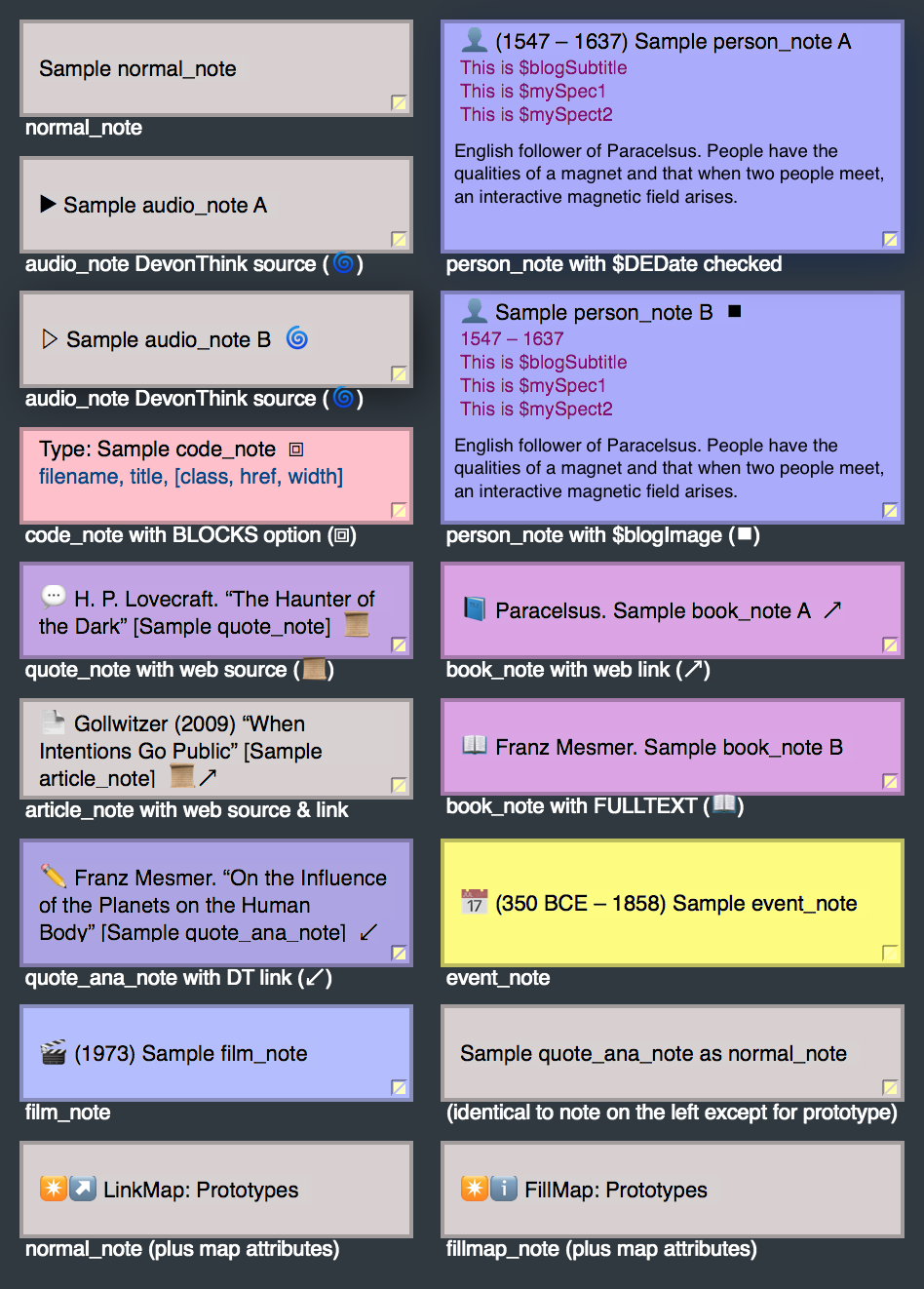
Book-notes inside Map View. $DEBips has been turned off for the third note.
Outline View
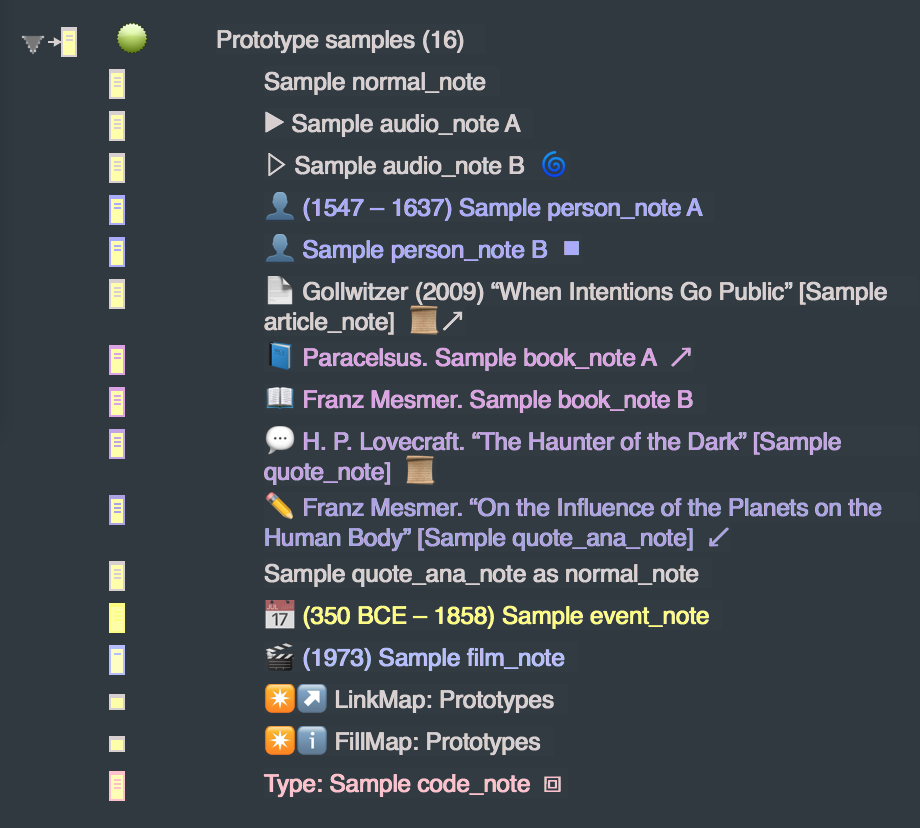
Book-notes inside Outline View. Notice the second note: the open book emoji indicates full-text, and the link emoji indicates that $ReferenceURL has been set. $DEBips has been turned off for the third note.
SmartButton
Note that the second note includes the publication’s full text:
1520 |
Sample book_note A |
1779 |
Sample book_note B |
SmartPanel
Paracelsus (1520). Sample book_note A
First mention of the unconscious, psychosomatic disease, and autosuggestion.
Webpage
Here you can see how book_note exports as a webpage:
book_note with full text
Subsection