BoxPress agents
BoxPress agents are divided into three groups—FIND, CORE, and LABEL. The convenience agents are on top of the list. They’re the one’s you’ll use most often. They are also easy to change. Just type text into the agent’s text window—no coding required!
Note that the display name for the FIND agents is different from its actual name. Their names are replaced with something more informative that tells you about the agent’s function. They are the first five agents in the figure below:
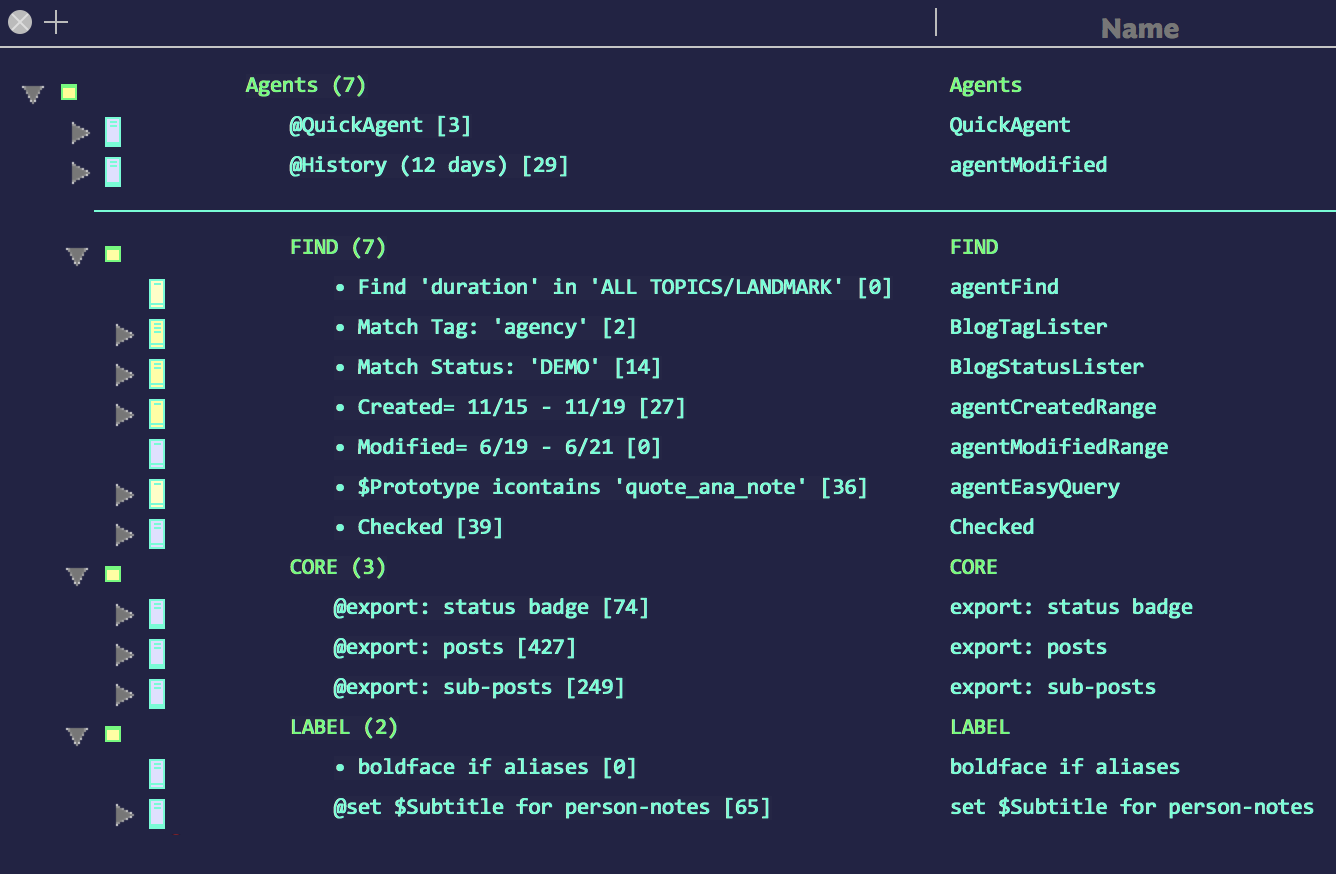
Your FIND, CORE, and LABEL agents.
@QuickAgent
As foreman of your writing projects, you will always need to answer questions of your staff—that is, you will always need a utility agent. Instead of making and deleting a fresh agent all the time, use this one.
$AgentQuery
[empty but ready]
$AgentAction
[empty but ready]
@History (time-units ago)

Just type in 48 hours or even 29 minutes and that’s exactly what you’ll get. Here, the agent’s Key Attributes Table serves as a Recent History Control Panel.
Actual name: agentModified
Having memory problems? Here’s an agent that lists everything you’ve worked on in the last n time units.
Notes are sorted in reverse chronological order.
Query only
($Modified > date("today - " + $timeString(agent)))
This agent’s custom display expression comes from c_agentModified_DE:
Display expression
(if($AgentPriority!=-1){"@"}else{"• "}) + "History " + "(" + $timeString + ")" + " [" + $ChildCount + "]"
BoxPress FIND agents
These are the go-to agents for most non-background tasks. They are set to run once. They are unique in that you use the text window to engage them.
BoxPress CORE agents
There are four core agents in BoxPress. These can be left running, but it never hurts to switch any agent off if reaping its effects isn’t time-critical.
BoxPress LABEL agents
These agents set badges. They are set to run once when activated.